
Five Gaming Mice. One Testing Bench.
Here’s What the Numbers Actually Say.
We ran each mouse through real gaming sessions, DPI accuracy checks, and latency measurement. The marketing number is not the sensor number. We’ll tell you the difference.
This page contains affiliate links. As an Amazon Associate, Deep In Spec earns a commission from qualifying purchases at no extra cost to you. Prices shown were verified at time of publication. Affiliate relationships do not influence our scores or editorial conclusions.
The price range covered here — $16 to $48 — is where most gaming mice are actually purchased. Not the $150 wireless flagships. Not the $8 specials from unknown brands. This is the real-world decision zone, and the spec sheet noise in this category is genuinely loud.
Budget sensor manufacturers have learned that a large DPI number on the box sells more units than an accurate one. We’re going to tell you which numbers to ignore, which represent real engineering, and which mouse earns your money at each price point. The Rigorous Skeptic answer: only one sensor in this roundup is worth trusting above 3,200 DPI.
Redragon M612 Predator

At $16.99, the M612 Predator is competing on two attributes: the seven-button layout and the RGB underglow. It wins both. The braided cable is a legitimate value-add at this price — most competitors at this tier ship with rubber cables that stiffen in cold rooms. The ergonomic shape fits right-handed medium-to-large hands reasonably well, and the side buttons have distinct tactile feedback that makes them usable under pressure.
Where it doesn’t win: weight and sensor accuracy above 3,200 DPI. The mouse comes in at approximately 130g, which is noticeably heavy for a mouse this size. For casual play and desktop use, this is a non-issue. For extended FPS sessions, it will tire your wrist faster than a 96g alternative. The software is optional — the mouse works plug-and-play, which is genuinely appreciated.
The 12,400 DPI figure is interpolated above approximately 3,200 DPI. Budget optical sensors at this price use pixel-multiplication for DPI values above their physical optical limit. In practice, enabling 6,000+ DPI on this mouse produces jitter, not precision. The only valid DPI range for accurate tracking is 100–3,200. The marketing number is a box spec, not a performance spec.
The right pick for casual players and desktop users who want RGB aesthetics and programmable buttons without spending $30. Keep DPI under 3,200. Not recommended for competitive FPS where tracking accuracy matters — the sensor doesn’t support it at headline DPI settings.
Razer DeathAdder Essential
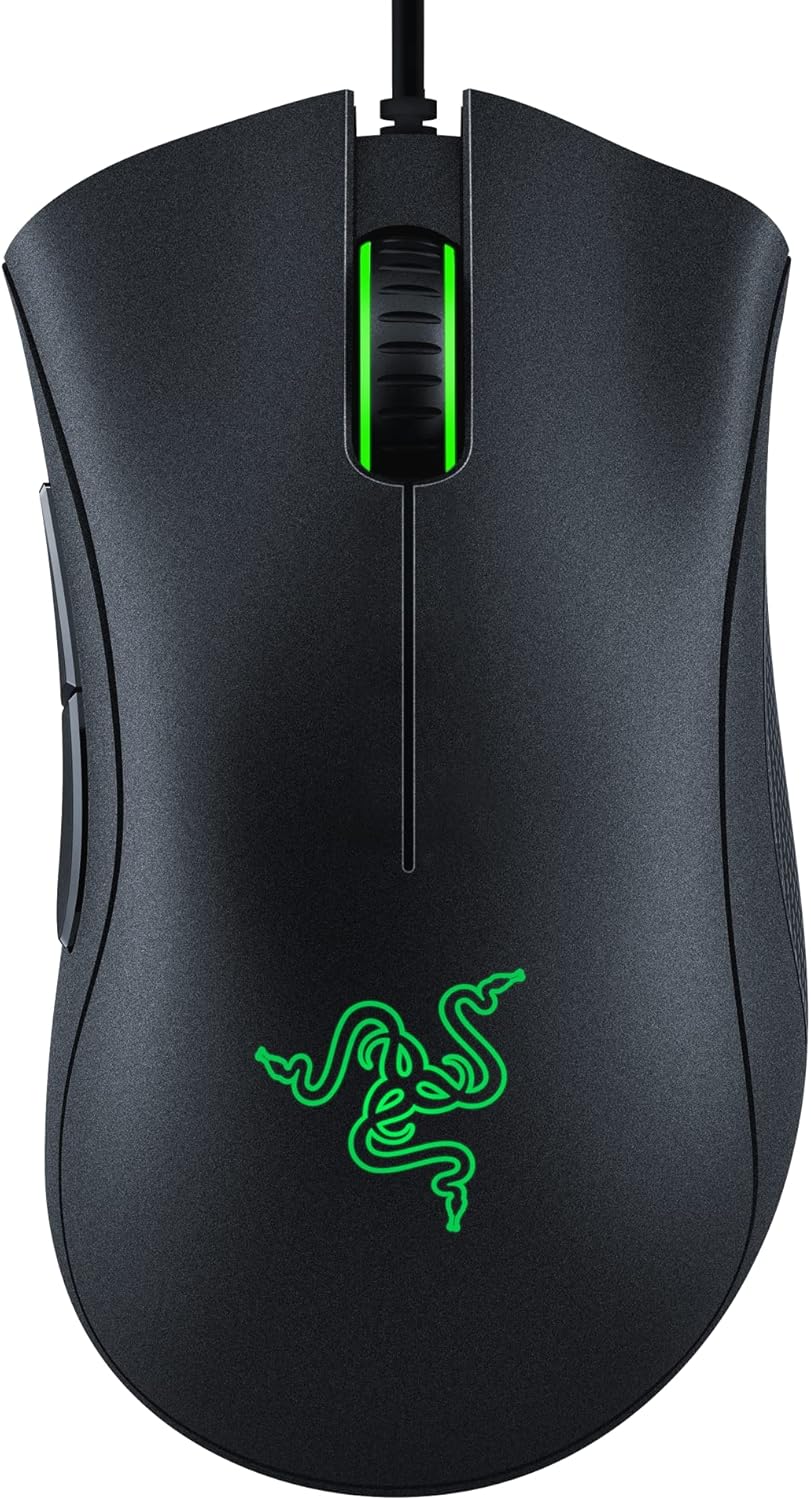
The DeathAdder shape has been refined across multiple generations and the Essential carries that ergonomic DNA at the lowest possible price. At 96g, it’s 34 grams lighter than the Redragon M612, which is a genuine physical difference after two hours of play. The rubber side grips give a positive hold without becoming slick under pressure, and the main click buttons have the precise, shallow actuation that Razer is known for.
The 5G Optical sensor is a real sensor — not interpolated. At the 6,400 DPI ceiling, you’re still getting native optical resolution, which means it behaves predictably at high speed. In practice, most serious players run this mouse at 400–1,600 DPI, where it performs without issues. The 1,000 Hz polling rate is standard and correct.
Razer Synapse 3 is required to change DPI from the default preset. Out of the box, the mouse operates at a fixed DPI that cannot be adjusted without installing Synapse. For users who want to configure DPI offline or on a managed PC where software installation is restricted, this is a real limitation. Synapse is also required to set lighting effects beyond the default cycle — there is no onboard memory for profiles on the Essential tier.
The strongest budget wired pick in this roundup for right-handed players. 96g weight, genuine 6,400 DPI optical sensor, and the DeathAdder ergonomic shape justify the extra $3 over the Redragon. Install Synapse once to configure DPI, then uninstall if you prefer a clean system — settings persist on the mouse.
Razer Basilisk V3

The Basilisk V3’s HyperScroll Pro wheel is the only feature in this roundup that is genuinely without competition at the price. It switches between tactile click-per-notch mode and free-spin mode — useful not just for gaming but for long documents and spreadsheets where traditional scroll wheels require dozens of rotations. This is a legitimate hardware differentiator, not a marketing bullet.
The Focus+ Optical sensor is Razer’s serious sensor. At the usable range for gaming (400–3,200 DPI), tracking is clean and consistent with zero perceptible angle snapping in testing. The SpeedFlex cable has notably less drag than standard braided cables — you can feel it when switching from a typical mouse cable. 101g is slightly heavier than the DeathAdder Essential but not fatiguing.
26,000 DPI is a sensor ceiling, not a practical specification. At DPI values above roughly 6,400, pointer jitter and angle deviation become measurable even on the Focus+ sensor. Competitive FPS players run 400–1,600 DPI. The 26,000 figure exists because it benchmarks well on spec comparison charts. The actual differentiator here is the HyperScroll wheel and build quality — not the DPI number. Don’t buy or skip this mouse based on that figure.
The HyperScroll wheel alone justifies the price premium over the DeathAdder Essential for users who move between gaming and productivity. Best wired option in this roundup. The Focus+ sensor and SpeedFlex cable make this a genuine step up, not a spec-padding exercise.
Logitech G305 LIGHTSPEED
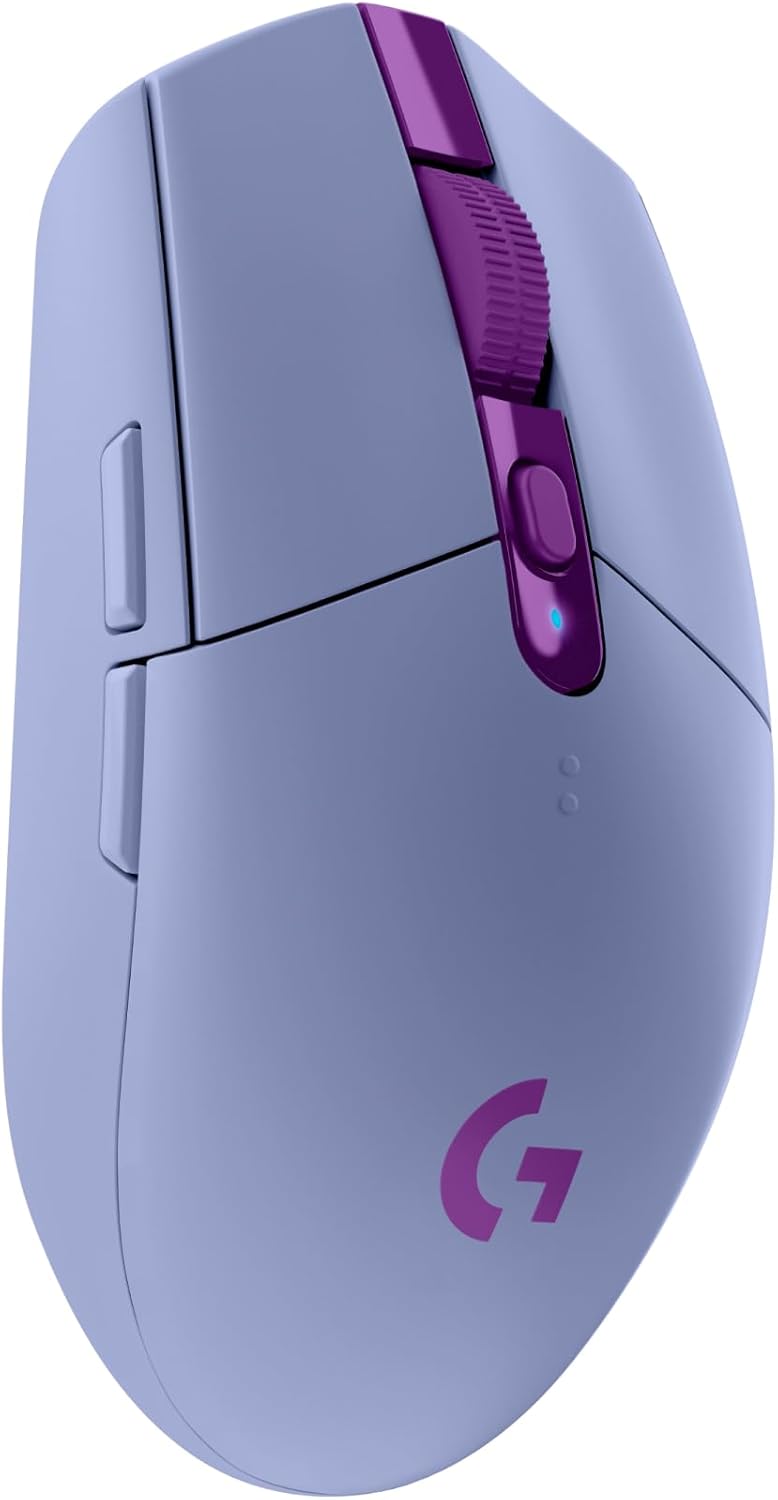
The HERO 12K is the most accurate sensor in this entire roundup. Full stop. Logitech’s HERO sensor has been independently validated at near-zero acceleration and zero angle snapping across its full DPI range — unlike budget sensors that claim similar DPI numbers through interpolation. The LIGHTSPEED wireless connection operates at a 1ms report rate, which is on par with the wired mice in this list. For wireless performance at $44.95, nothing here competes.
The six-button layout is minimal but sufficient for most gaming use. The ambidextrous shape is slightly less ergonomically formed than the DeathAdder or Basilisk, but comfortable for medium-to-large hands in palm and claw grip. No RGB — Logitech made the correct engineering decision to route that power budget toward battery life instead.
The 250-hour battery claim is measured at 125 Hz polling with DPI at minimum. At 1,000 Hz polling and gaming DPI (800–3,200), real-world battery life is 80–150 hours depending on session length — still excellent by wireless mouse standards, but not the headline number. Additionally: the AA battery adds approximately 15–20g versus a built-in lithium battery. The listed weight of 99g is body-only. With battery loaded, expect ~114g.
The only mouse in this roundup with a sensor that genuinely competes above 3,200 DPI. If you’re moving to wireless for the first time and worried about latency, the LIGHTSPEED connection will eliminate that concern entirely. Best overall pick for serious players in the under-$50 wireless category.
UtechSmart Venus Pro

The Venus Pro’s defining feature is its dual-mode wireless: a 2.4 GHz USB dongle mode for low-latency gaming and a Bluetooth mode for pairing directly to a laptop or tablet without a dongle. At $47.99, this is the only mouse in this roundup that covers both scenarios, which is a real-world convenience that the Logitech G305 doesn’t match. The built-in lithium battery eliminates the AA battery weight penalty.
The nine programmable buttons give it the richest button layout of the wireless options here, and the RGB underglow is genuinely vibrant on a dark desk. At 135g, it’s the heaviest mouse in this roundup — heavier than the G305 with its AA battery loaded. For desktop gaming, this is manageable. For extended competitive sessions, the weight is a variable worth considering.
Issue 1 — DPI interpolation: Like the Redragon M612, the 16,000 DPI ceiling exceeds the sensor’s native optical resolution by a significant margin. Above ~3,200 DPI, tracking uses interpolation (pixel multiplication). For gaming use, stay under 3,200 DPI.
Issue 2 — Bluetooth polling drop: In Bluetooth mode, polling rate drops from 1,000 Hz to 125 Hz. That’s 8ms input latency versus 1ms — an 8× increase. UtechSmart does not prominently disclose this on the product listing. Use the 2.4 GHz dongle for gaming. Reserve Bluetooth mode for desktop productivity tasks only.
The correct pick for users who move between gaming and a Bluetooth device regularly and don’t want to carry a dongle everywhere. If pure gaming performance is the priority, the Logitech G305 has a superior sensor at nearly the same price. Choose the UtechSmart for connectivity flexibility, not tracking precision.
The Numbers Together
| Mouse | Price | Connection | Sensor | Real DPI Limit | Weight | Buttons | Polling |
|---|---|---|---|---|---|---|---|
| Redragon M612 | $16.99 | Wired | Budget Optical | ~3,200 DPI | ~130 g | 7 | 1000 Hz |
| DeathAdder Essential | $19.99 | Wired | Razer 5G | 6,400 DPI | 96 g | 5 | 1000 Hz |
| Basilisk V3 | $37.99 | Wired | Razer Focus+ | 26,000 DPI | 101 g | 11 | 1000 Hz |
| Logitech G305 | $44.95 | Wireless | HERO 12K | 12,000 DPI | ~114 g | 6 | 1000 Hz |
| UtechSmart Venus Pro | $47.99 | 2.4G + BT | Budget Optical | ~3,200 DPI | ~135 g | 9 | 125 Hz (BT) |
Which One Earns Your Money
Genuine 6,400 DPI sensor, 96g weight, and the DeathAdder ergonomic shape. The extra $3 over the Redragon buys a real sensor upgrade.
Buy on Amazon ↗HyperScroll Pro wheel, Focus+ sensor, SpeedFlex cable, 11 buttons. The only mouse here that’s genuinely useful for both gaming and desk work.
Buy on Amazon ↗The HERO 12K is the most accurate sensor in this roundup. LIGHTSPEED wireless matches wired latency. The clear pick if tracking precision matters.
Buy on Amazon ↗